

Description
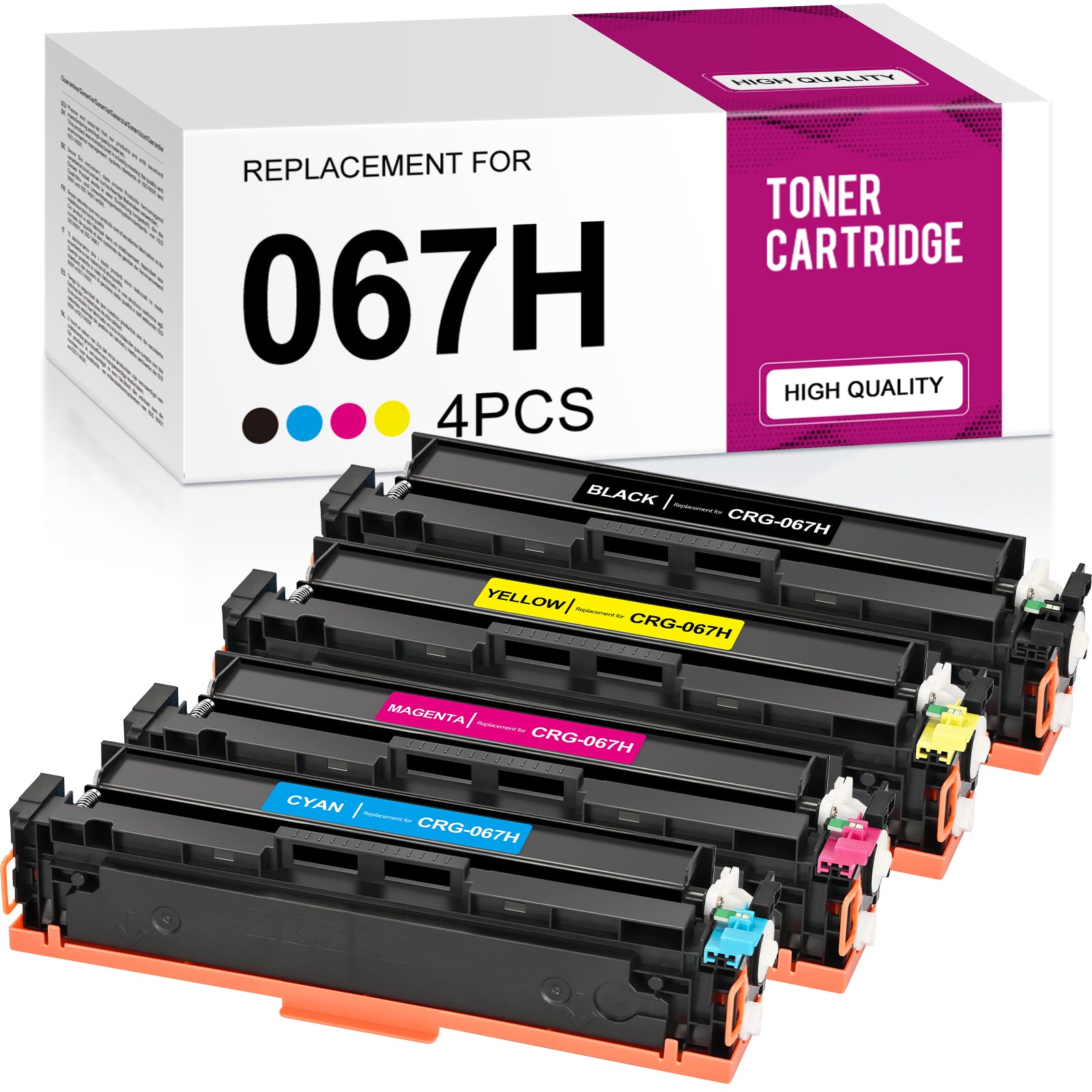
Linford Compatible Canon 067H Toner Cartridges with Chip — 4-Pack High Yield (Black + Cyan + Magenta + Yellow)
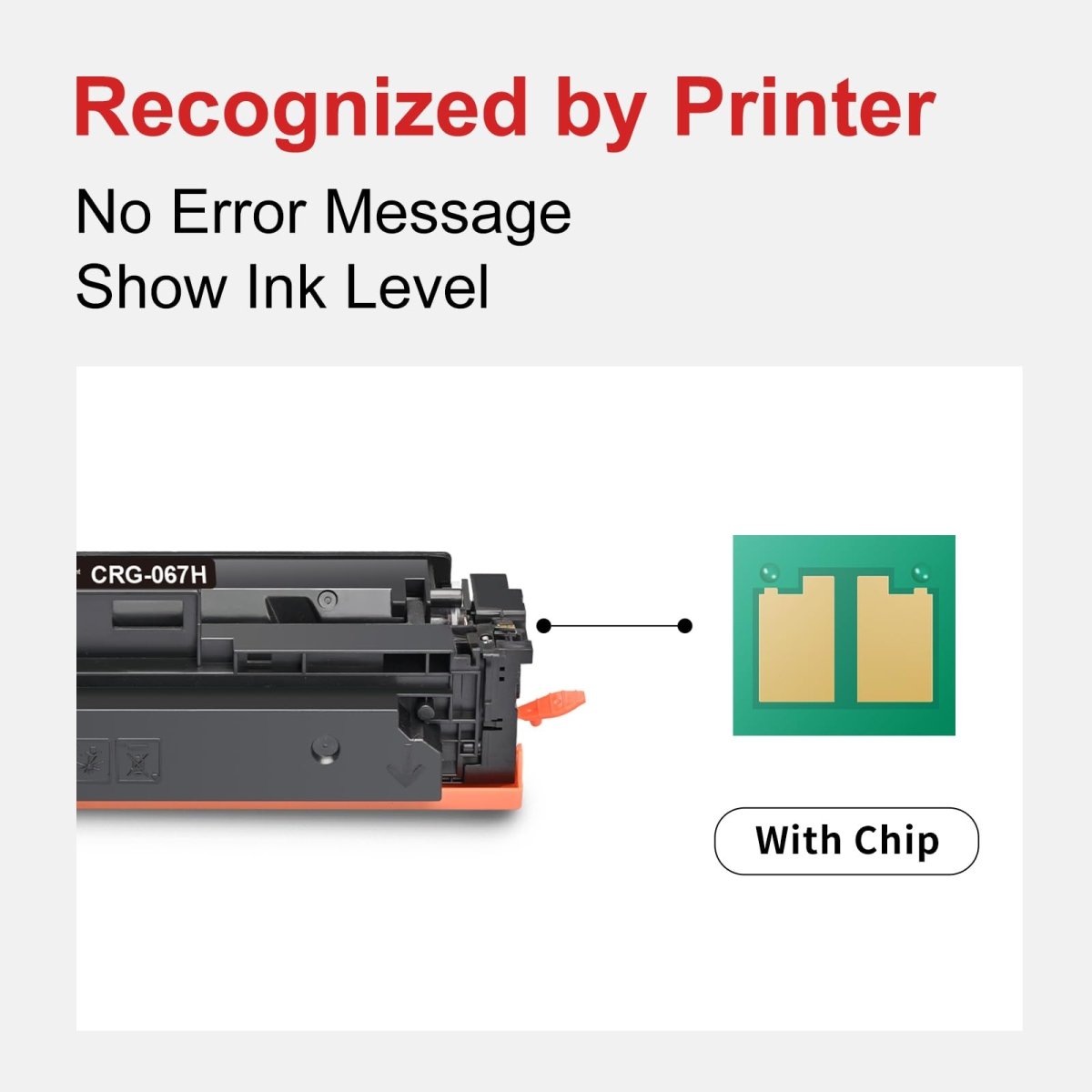
This high-yield 4-pack covers all four colors for Canon Color imageCLASS LBP632/633 and MF652/653/654/656 series printers. Each cartridge includes a pre-installed smart chip — no chip transfer required, ready to install straight from the box. Backed by Linford's lifetime warranty.
Extra 20% off automatically applied at checkout — no code needed.
Note: Canon's original 067H toner cartridge has been discontinued by Canon. Compatible cartridges from Linford are fully stocked and available for continued use with your printer.
What's in the Box
| Cartridge | OEM Number | Color | Page Yield |
|---|---|---|---|
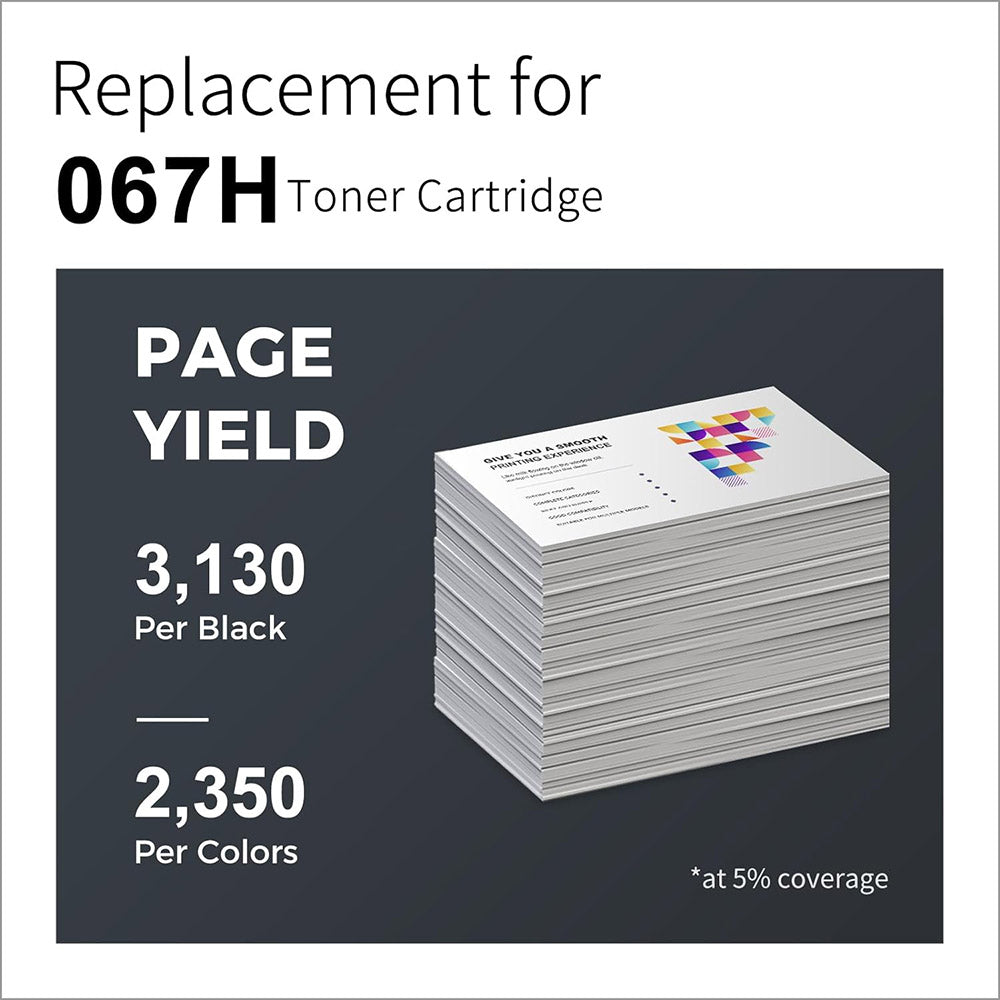
| 1 × Canon 067H Black | 5106C001 | Black | ~3,130 pages |
| 1 × Canon 067H Cyan | 5105C001 | Cyan | ~2,350 pages |
| 1 × Canon 067H Magenta | 5104C001 | Magenta | ~2,350 pages |
| 1 × Canon 067H Yellow | 5103C001 | Yellow | ~2,350 pages |
Page yield measured at 5% coverage per ISO testing standards (Letter/A4).
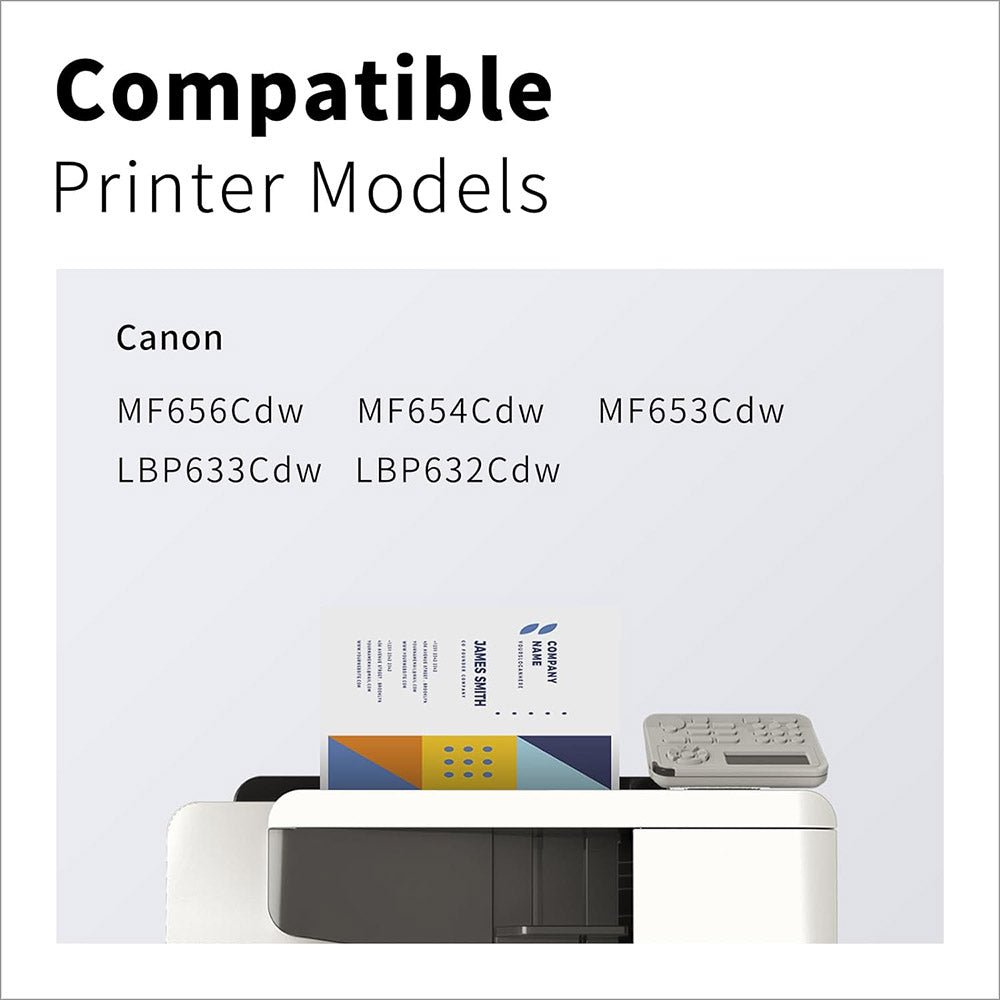
Compatible Canon Printers
| Series | Models |
|---|---|
| Canon Color imageCLASS | LBP632Cdw · LBP633Cdw |
| Canon Color imageCLASS MF | MF652Cdw · MF653Cdw · MF654Cdw · MF656Cdw |
Tip: Before ordering, check the label on your current cartridge to confirm it shows 067H or 067. Both series fit the same printers — see the comparison below.
Canon 067 vs Canon 067H: What's the Difference?
| Canon 067 (Standard Yield) | Canon 067H (High Yield) | |
|---|---|---|
| Black Page Yield | ~1,350 pages | ~3,130 pages |
| Color Page Yield (each) | ~1,250 pages | ~2,350 pages |
| Compatible Printers | Same | Same |
| Best For | Light to moderate printing | High-volume office printing |
| Cost Per Page | Higher | Lower |
The Canon 067H yields approximately 2× more pages and fits the same printers. For offices with regular color printing, the 067H delivers a meaningfully lower cost per page. Need the standard 067 instead? Shop Canon 067 4-Pack here.
About the Smart Chip
Canon Color imageCLASS LBP632/633 and MF652/653/654/656 series printers require a chip on each toner cartridge. These Linford 067H compatible cartridges come with a pre-installed smart chip that supports toner level monitoring and seamless printer recognition.
No chip transfer needed. These cartridges are ready to use straight from the packaging — no need to remove a chip from your old OEM cartridge.
How to Install Canon 067H Toner Cartridges
- Open the front cover of your Canon Color imageCLASS printer
- Pull out the toner cartridge tray to access the slots
- Remove the old cartridge from the slot being replaced
- Take the new 067H cartridge from its packaging and shake it gently 5–6 times side to side to evenly distribute the toner
- Remove the protective pull tab and any protective covering completely
- Insert the new cartridge firmly into the correct color slot until it clicks into place
- Push the tray back in and close the front cover — if prompted with a non-genuine cartridge message, press OK to continue
If print density appears light: Remove the cartridge, gently rock it side to side to redistribute toner, reinstall and test again.
Frequently Asked Questions
Does this pack include all four colors? Yes. This 4-pack contains one each of Canon 067H black (5106C001), cyan (5105C001), magenta (5104C001), and yellow (5103C001) — all with pre-installed chips.
What is the difference between Canon 067 and 067H? Both fit the same printers. Canon 067 is standard yield (1,350 BK / 1,250 color pages); Canon 067H is high yield (3,130 BK / 2,350 color pages). The 067H delivers a lower cost per page for regular printing.
Are Canon 067 and 067H interchangeable? Yes. Both cartridges fit the same Canon imageCLASS printers. The only difference is page yield — 067H gives you approximately 2× more pages per cartridge.
Do I need to transfer a chip from my old cartridge? No. Each cartridge in this pack comes with a pre-installed smart chip. There is no chip transfer needed.
My Canon printer shows a "non-genuine cartridge" message. Is that normal? Yes. Press OK to continue. Canon printers display this message whenever a non-OEM cartridge is detected. It does not affect print quality or printer function.
Will using compatible cartridges void my Canon printer warranty? No. Under the Magnuson-Moss Warranty Act, Canon cannot void your printer warranty solely because you used a compatible toner cartridge.
Linford Office is an independent supplier of compatible printer cartridges. Canon, 067H, CRG-067H, imageCLASS, and related model names are trademarks of Canon Inc., referenced here for compatibility purposes only.