


Description
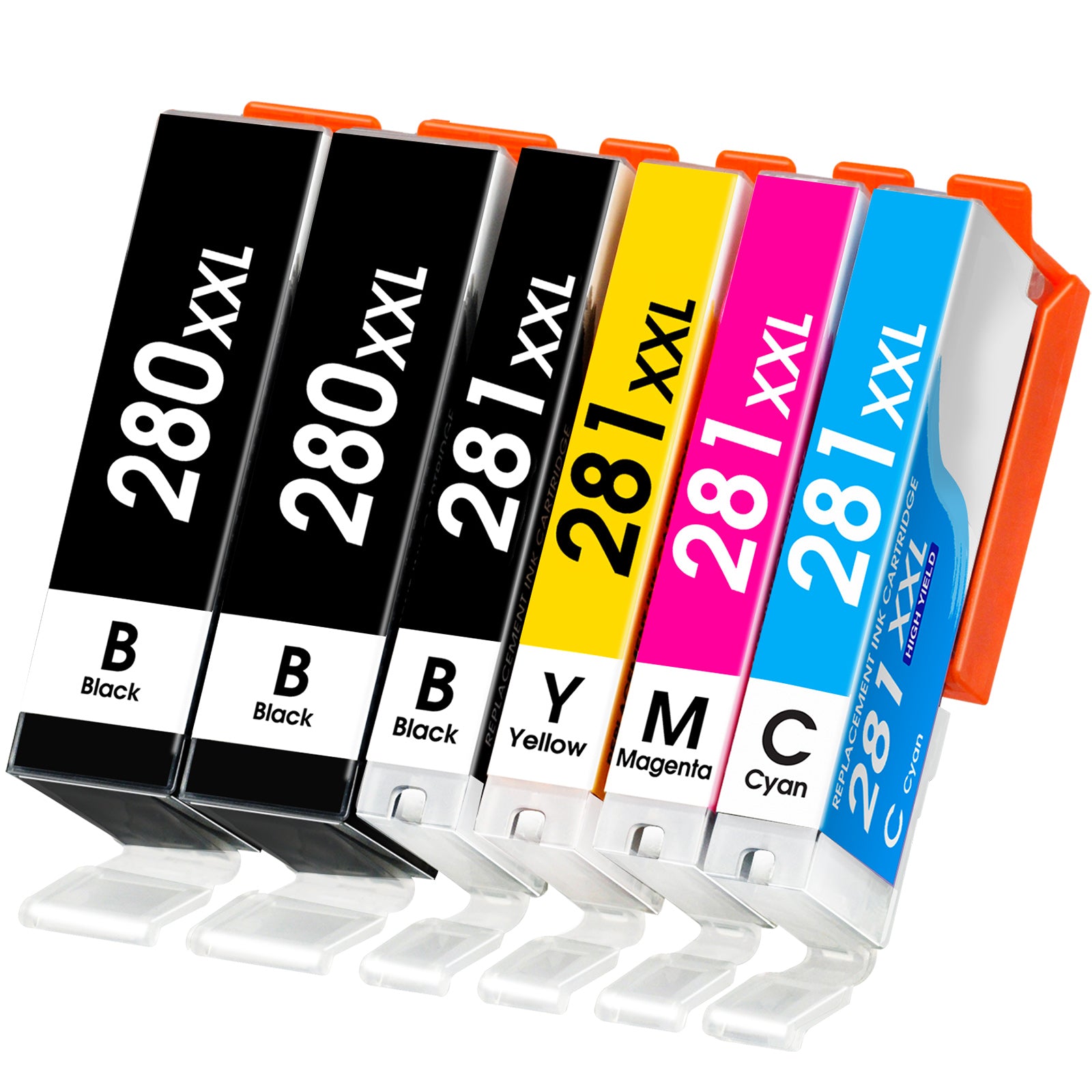
About Linford Canon PGI-280XXL CLI-281XXL Compatible Ink Cartridges — 6-Pack
The only Canon 280/281 XXL set that includes Photo Blue — delivering true-to-life photo prints alongside everyday documents. Linford's 6-pack gives you every color your Canon PIXMA needs, at a fraction of the OEM cost.
🛒 Extra 20% Off — Auto-Applied at Checkout on Orders Over $30. No Code Needed.
What's in the Box
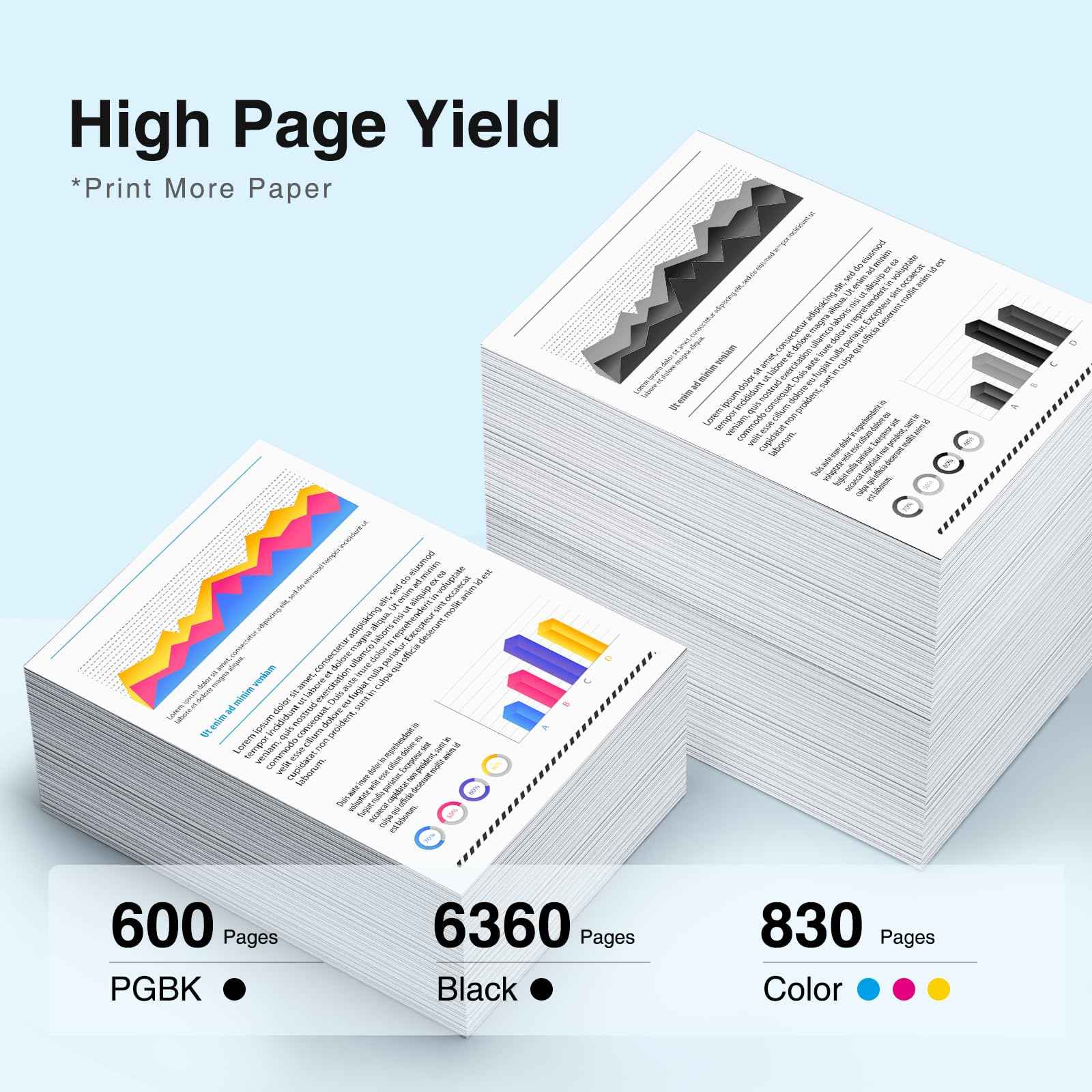
| Cartridge | OEM Number | Ink Type | Color | Page Yield |
|---|---|---|---|---|
| 1 × PGI-280XXL | 1967C001 | Pigment | Pigment Black | 600 pages |
| 1 × CLI-281XXL | 1983C001 | Dye | Black | 6,360 pages |
| 1 × CLI-281XXL | 1980C001 | Dye | Cyan | 830 pages |
| 1 × CLI-281XXL | 1981C001 | Dye | Magenta | 830 pages |
| 1 × CLI-281XXL | 1982C001 | Dye | Yellow | 830 pages |
| 1 × CLI-281XXL | 1984C001 | Dye | Photo Blue | 830 pages |
Page yield measured at 5% coverage per ISO standards.
Why two blacks? The PGI-280XXL Pigment Black is optimized for sharp, fade-resistant text. The CLI-281XXL Dye Black is used for richer photo shadows and detail. Both are required for full print quality on Canon PIXMA photo printers.
📷 Why This 6-Pack vs the 5-Pack?
| 5-Pack (No Photo Blue) | 6-Pack — This Product | |
|---|---|---|
| Pigment Black | ✅ | ✅ |
| Dye Black | ✅ | ✅ |
| Cyan | ✅ | ✅ |
| Magenta | ✅ | ✅ |
| Yellow | ✅ | ✅ |
| Photo Blue | ❌ | ✅ |
| Best For | Document printing | Document + Photo printing |
If your printer is a photo-focused PIXMA (TS9520, TS9521C, TS8320, TR8620), the Photo Blue cartridge is what makes skin tones and blue skies look realistic. Choose this 6-pack.
Compatible Printers
| Canon PIXMA | Canon PIXMA |
|---|---|
| TR7500 | TS6120 |
| TR7520 | TS6220 |
| TR8500 | TS6320 |
| TR8520 | TS8120 |
| TR8600 | TS8220 |
| TR8620 | TS8320 |
| TR8620A | TS9100 |
| TR8622 | TS9120 |
| TS9520 | |
| TS9521C | |
| TS702 | |
| TS702S |
Why Choose Linford?
- ✅ Super High Yield — up to 6,360 pages from the dye black alone
- ✅ Smart chip for accurate ink level tracking on all 6 cartridges
- ✅ ISO9001 / ISO14001 / CE / ROHS / REACH certified manufacturing
- ✅ Includes Photo Blue for professional-quality photo output
- ✅ Lifetime Warranty — defective cartridge? We replace it, no questions asked
- ✅ Free shipping on orders over $30
- ✅ Ships within 1–4 business days from our US warehouse
How to Install Canon 280XXL / 281XXL Ink Cartridges
- Power on your Canon PIXMA printer — Make sure the printer is on before opening the cover.
- Open the front cover — Lift the scanning unit / front cover. The print head will move to the center automatically.
- Remove the old cartridge — Press the tab on the cartridge you're replacing and pull it straight out.
- Unpack the new cartridge — Remove from its sealed packaging. Do not shake or squeeze.
- Remove the protective tape — Peel off the orange tape from the nozzle and contact areas completely.
- Insert the cartridge — Match each cartridge to its labeled color slot. Press firmly until it clicks.
- Repeat for all 6 cartridges — Install all cartridges before closing the cover.
- Close the front cover — Lower it completely. The printer will initialize and align the cartridges.
- Print a test page — Run a nozzle check or test print to confirm all 6 colors are flowing correctly.
Color not printing? Run a print head cleaning cycle from your printer's maintenance menu. If the issue persists, contact Linford support — all cartridges are covered by our Lifetime Warranty.
FAQs
Q: What's the difference between PGI-280XXL and CLI-281XXL? PGI-280XXL is a pigment-based ink used for sharp, water-resistant black text. CLI-281XXL is dye-based and comes in multiple colors (Black, Cyan, Magenta, Yellow, Photo Blue) for vivid photo and color printing. Your Canon PIXMA uses both types simultaneously — this 6-pack includes all of them.
Q: Does this 6-pack include Photo Blue? Yes. This set includes the CLI-281XXL Photo Blue (1984C001), which is essential for accurate color reproduction in photo printing — especially skin tones and skies. The 5-pack does not include Photo Blue; this 6-pack does.
Q: Are Canon PGI-280 and PGI-280XXL interchangeable? Yes — they fit the same printers. The XXL version contains significantly more ink and delivers higher page yields (6,360 pages for dye black vs. ~830 for standard). The XXL offers a much lower cost per page for frequent printers.
Q: Will compatible cartridges void my Canon printer warranty? No. Under the Magnuson-Moss Warranty Act, Canon cannot void your printer warranty solely because you used a compatible or third-party ink cartridge.
Q: What printers use Canon 280 and 281 ink? Canon PIXMA TR and TS series printers, including TR8620, TR8520, TS9520, TS9521C, TS8320, TS8220, TS6320, TS6220, TS6120, TS702, and more. See the full compatible printer list above.
Q: How should I store unused cartridges? Store sealed cartridges upright in a cool, dry place away from direct sunlight. Linford Canon 280XXL/281XXL cartridges have a shelf life of 18–24 months unopened.
Canon, PIXMA, PGI-280XXL, CLI-281XXL, and related model names are registered trademarks of Canon Inc. Linford is not affiliated with or endorsed by Canon Inc. Product names are used for compatibility identification only.