




Payment & Security
Your payment information is processed securely. We do not store credit card details nor have access to your credit card information.
Description
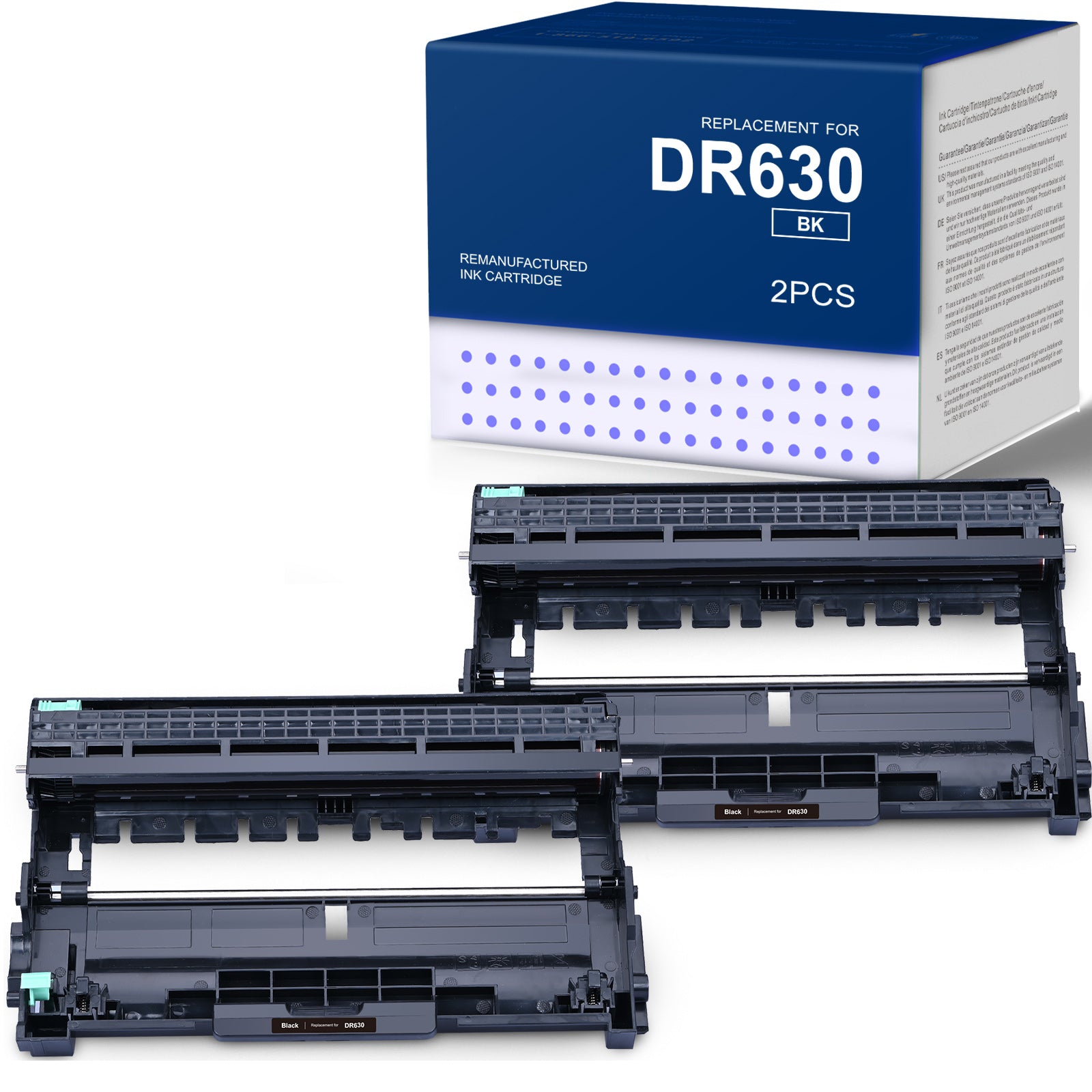
Linford Compatible Brother DR630 Drum Unit — 2-Pack Black
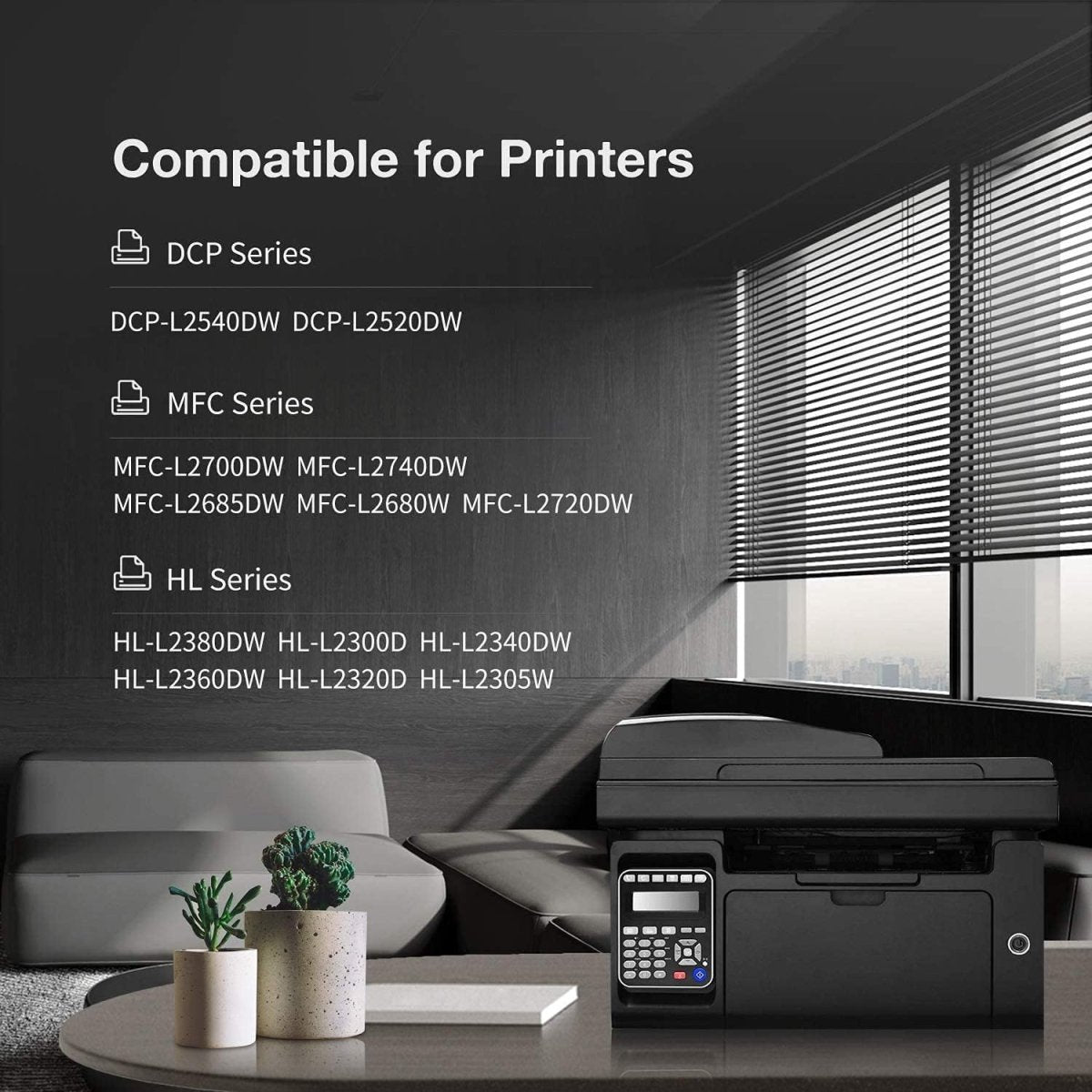
This 2-pack of compatible Brother DR630 drum units is built for Brother DCP-L2520/2540, HL-L2300/2305/2320/2340/2360/2380, and MFC-L2680/2685/2700/2705/2707/2720/2740 series printers. Each drum unit yields up to 12,000 pages at 5% coverage. Backed by Linford's lifetime warranty.
Extra 20% off automatically applied at checkout — no code needed.
⚠️ This pack contains drum units only — toner cartridges are NOT included. If you also need toner, the compatible Brother TN660 toner cartridge is sold separately. Shop TN660 2-Pack here.
What's in the Box
| Details | |
|---|---|
| Contents | 2 × Compatible Brother DR630 Drum Units |
| OEM Equivalent | DR630 / DR-630 |
| Component Type | Drum Unit (not a toner cartridge) |
| Page Yield | ~12,000 pages each at 5% coverage |
| Total Yield | ~24,000 pages |
| Cost Per Page | approximately 0.18 cents |
| Shelf Life | 18–24 months unopened |
Compatible Brother Printers
| Series | Models |
|---|---|
| Brother DCP | DCP-L2520DW · DCP-L2540DW |
| Brother HL | HL-L2300D · HL-L2305W · HL-L2315DW · HL-L2320D · HL-L2340DW · HL-L2360DW · HL-L2380DW |
| Brother MFC | MFC-L2680W · MFC-L2685DW · MFC-L2700DW · MFC-L2705DW · MFC-L2707DW · MFC-L2720DW · MFC-L2740DW |
DR630 Drum Unit vs TN660 Toner: Understanding the Difference
These two components work together but serve completely different functions and have very different replacement schedules:
| DR630 — Drum Unit | TN660 — Toner Cartridge | |
|---|---|---|
| Function | Transfers toner powder onto paper | Holds the black toner powder |
| Page Yield | ~12,000 pages | ~2,600 pages |
| Replace When | Printer shows "Replace Drum" message | Printer shows "Toner Low" message |
| Replacement Frequency | Every 3–4 toner cartridge changes | Every ~2,600 pages |
| Included in This Pack | ✅ Yes | ❌ No |
Rule of thumb: You will replace the TN660 toner cartridge approximately 4 times before the DR630 drum unit needs replacing. When your printer says "Replace Toner," only the toner needs changing — the drum stays in place.
How to Install Brother DR630 Drum Unit
- Turn off your Brother printer and open the front cover
- Pull out the entire drum and toner assembly together
- Press the green lock lever and slide the old TN660 toner cartridge out of the DR630 drum unit
- Unpack the new DR630 drum unit and remove all protective packaging and orange protective covers
- Slide your existing TN660 toner cartridge into the new DR630 drum unit until it clicks firmly into place
- Reinsert the drum and toner assembly back into the printer
- Close the front cover — then immediately reset the drum counter (see below)
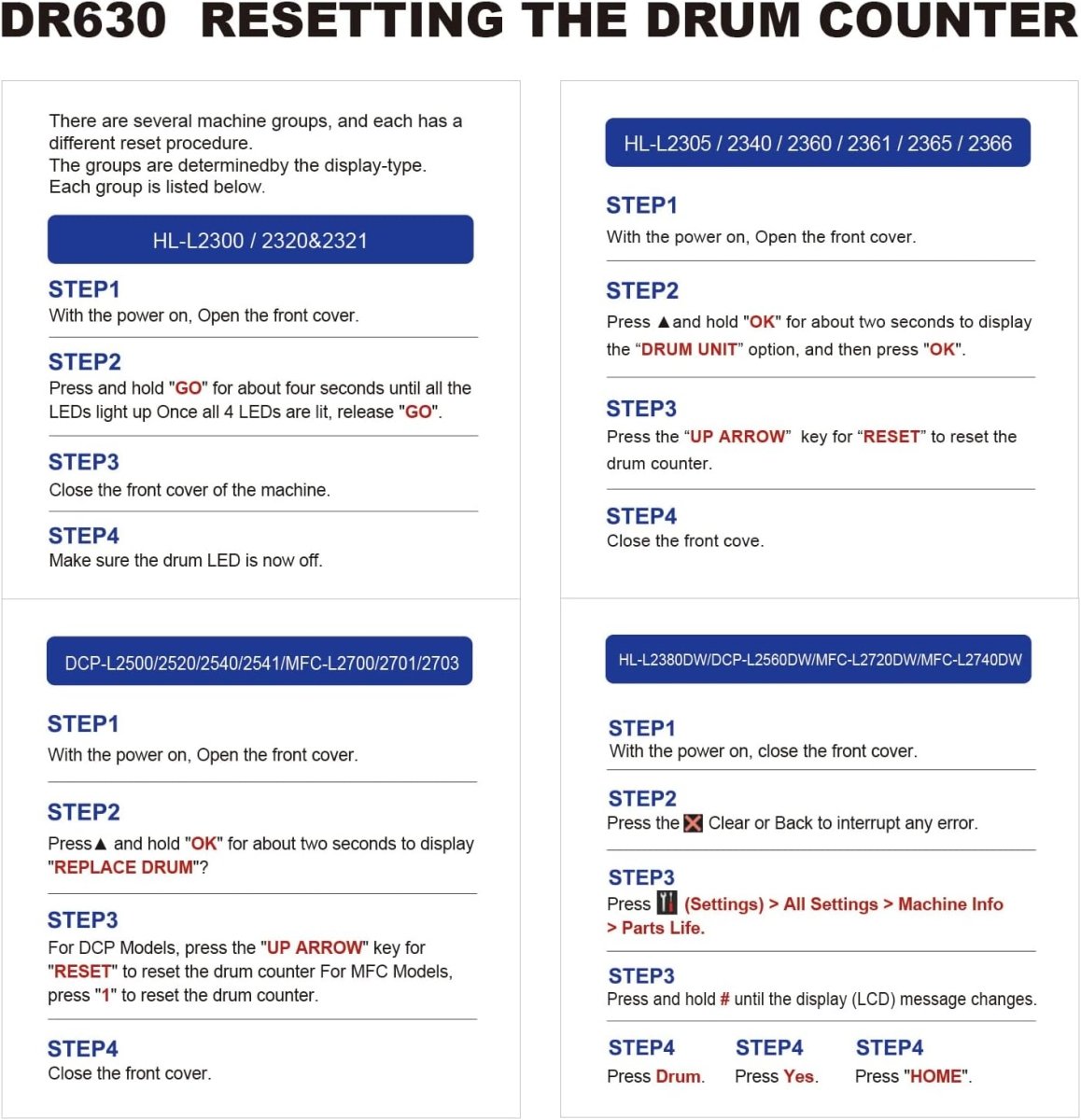
Important: You must reset the drum counter after installing a new drum unit, otherwise the printer will continue to display the "Replace Drum" message even though the new drum is installed.
How to Reset the DR630 Drum Counter
After installing the new drum unit:
- Make sure the printer is powered on with the front cover closed
- Open the front cover
- On the printer control panel, press and hold the OK button for approximately 2 seconds until the display shows "Drum Unit"
- Press OK, then press the Up arrow to select "Reset"
- The display will confirm "Accepted"
- Close the front cover — the drum counter is now reset
Still seeing the "Replace Drum" message? Visit our Brother DR630 reset troubleshooting guide for step-by-step help.
Frequently Asked Questions
Does this pack contain toner cartridges? No. This 2-pack contains drum units only (DR630). Toner cartridges (TN660 or TN630) are not included and are sold separately. You need both a drum unit and a toner cartridge for your printer to function.
What is the difference between the DR630 and TN660? They are two completely different components. The DR630 is the drum unit that transfers toner to paper — it lasts ~12,000 pages. The TN660 is the toner cartridge that holds the toner powder — it lasts ~2,600 pages. You will go through approximately 4 toner cartridges before the drum unit needs replacing.
Why does my printer still say "Replace Drum" after installing the new drum? You need to manually reset the drum counter after installing a new DR630. Follow the reset steps in the installation guide above, or visit our troubleshooting guide.
Is DR630 the same as TN630 or TN660? No. DR630 is a drum unit. TN630 and TN660 are toner cartridges. They are different products with different functions — the drum unit and toner cartridge must both be present for the printer to work.
Will this drum unit void my Brother printer warranty? No. Under the Magnuson-Moss Warranty Act, Brother cannot void your printer warranty solely because you used a compatible drum unit.
How should I store unused drum units? Keep the drum unit in its original sealed packaging, stored in a cool, dry place away from direct sunlight and heat. Do not expose the drum surface to light for extended periods. Install within 18–24 months of purchase.
Linford Office is an independent supplier of compatible printer supplies. Brother, DR630, DR-630, TN660, and related model names are trademarks of Brother Industries, Ltd., referenced here for compatibility purposes only.

How do I reset my DR630 drum?
Your printer will let you know when it is time to replace each consumable with a message on the printer display. If you would like to learn more about the Brother drum DR630 reset complete instructions on our trouble shooting page.
