


Payment & Security
Your payment information is processed securely. We do not store credit card details nor have access to your credit card information.
Description
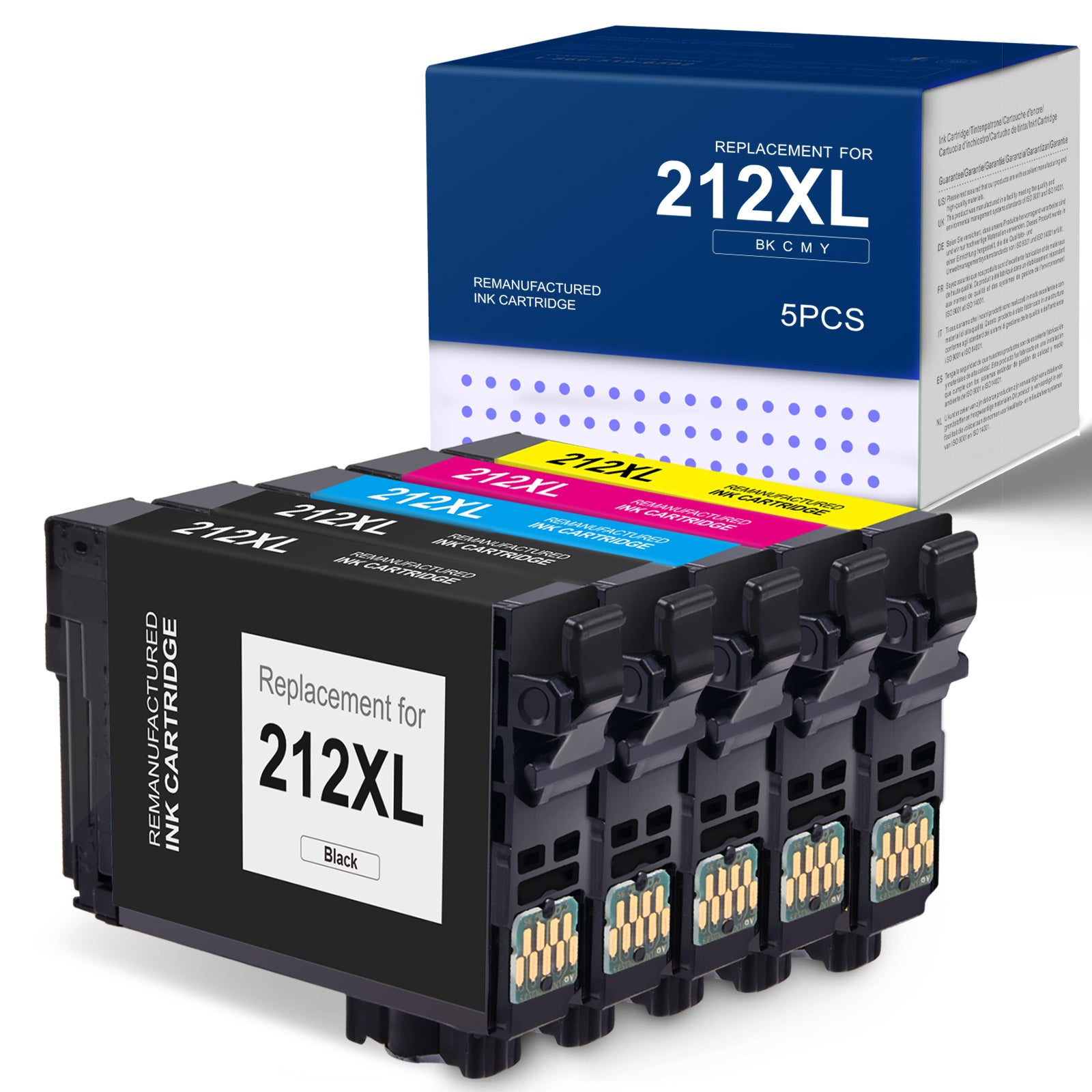
About Linford Remanufactured Epson 212XL Ink Cartridges — 5-Pack (2 Black, 1 Cyan, 1 Magenta, 1 Yellow)
Two blacks, one of each color — the perfect ratio for home and small office printing. Linford's Epson 212XL 5-pack gives you more black ink upfront, matching the real-world pattern of how most people print.
🛒 Extra 20% Off — Auto-Applied at Checkout on Orders Over $30. No Code Needed.
What's in the Box
| Cartridge | OEM Number | Color | Page Yield |
|---|---|---|---|
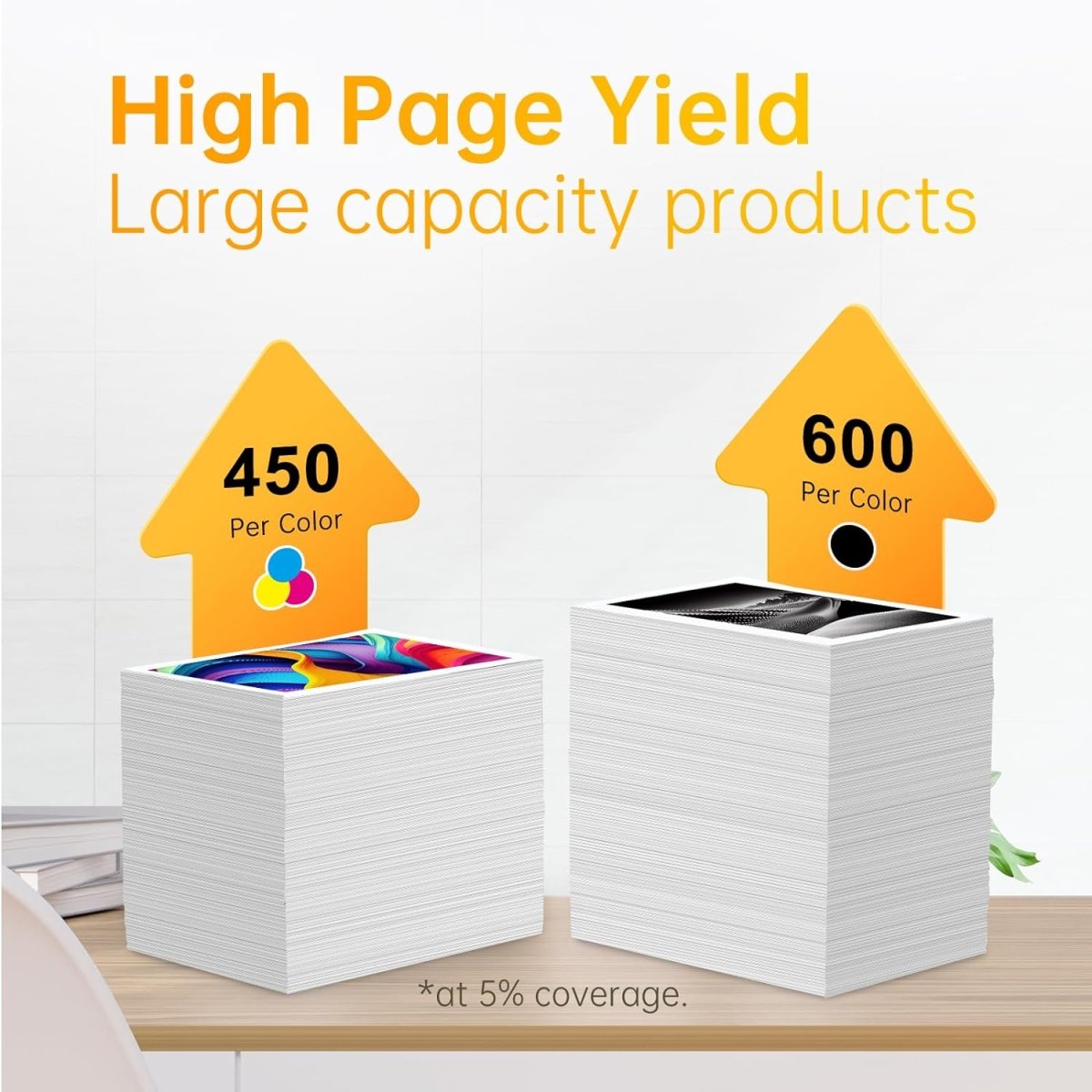
| 2 × Epson 212XL Black | T212XL120-S | Black | 600 pages each (1,200 total) |
| 1 × Epson 212XL Cyan | T212XL220-S | Cyan | 450 pages |
| 1 × Epson 212XL Magenta | T212XL320-S | Magenta | 450 pages |
| 1 × Epson 212XL Yellow | T212XL420-S | Yellow | 450 pages |
| Total | ~2,550 pages |
Page yield measured at 5% coverage per ISO standards.
⚠️ Epson Firmware Warning — Important
Epson periodically pushes firmware updates that can block third-party and remanufactured cartridges. Disable automatic firmware updates before installing to avoid compatibility issues.
Steps: Printer control panel → Setup → Firmware Update → turn off Auto Update. Contact Linford support if your printer has already received a blocking update.
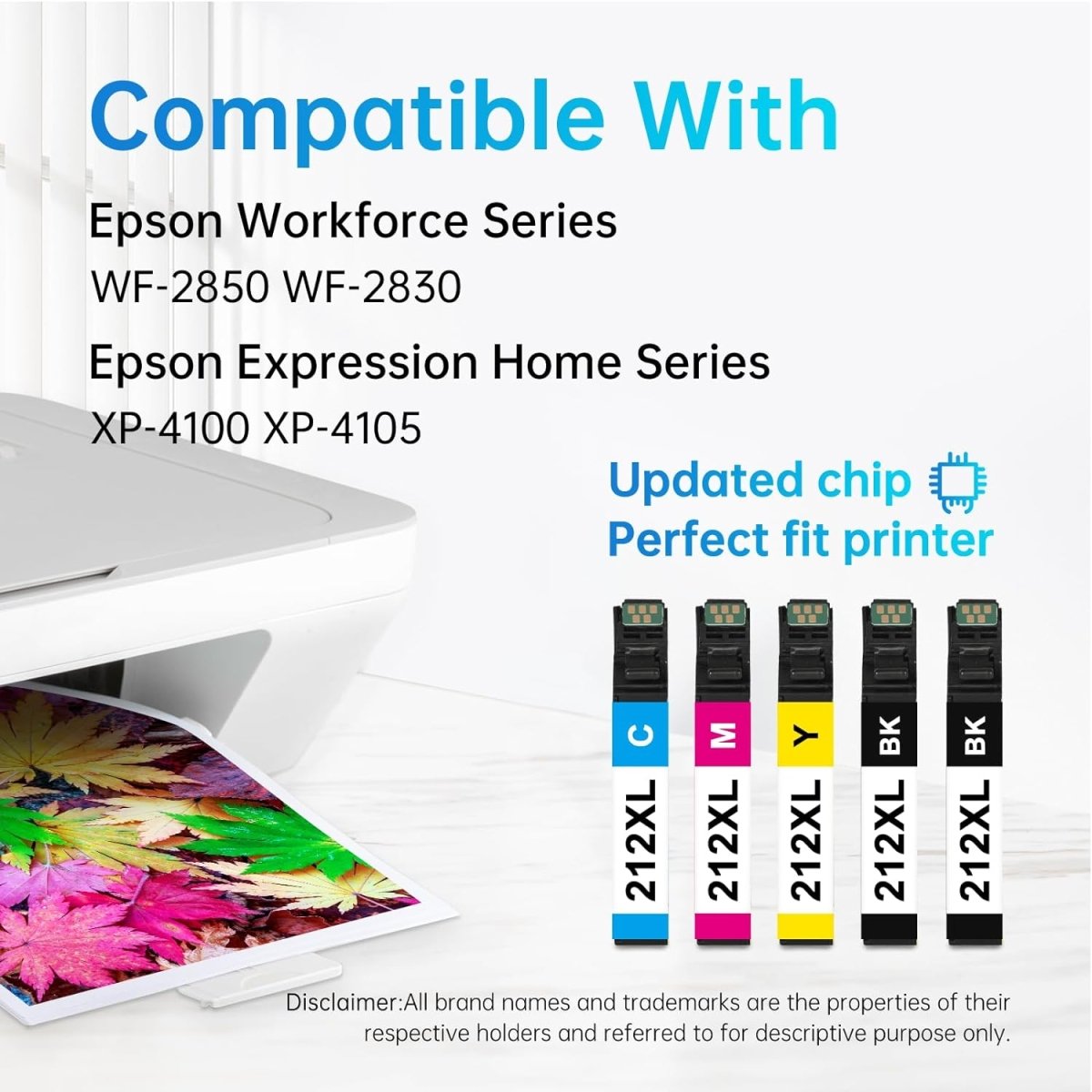
Compatible Printers
| Epson WorkForce Series | Epson Expression Home Series |
|---|---|
| WorkForce WF-2830 | Expression Home XP-4100 |
| WorkForce WF-2850 | Expression Home XP-4105 |
Epson 212 vs 212XL — Which Should You Buy?
| Epson 212 (Standard) | Epson 212XL (High Yield) | |
|---|---|---|
| Black Page Yield | ~150 pages | ~600 pages |
| Color Page Yield | ~130 pages | ~450 pages |
| Compatible Printers | Same | Same |
| Best For | Very occasional printing | Regular home/office use |
| Cost Per Page | Higher | Lower |
| Ink Type (Black) | Pigment | Pigment |
| Ink Type (Color) | Dye | Dye |
The 212XL prints 4× more pages than the standard 212 per cartridge. For anyone printing regularly, the XL is the better value.
Why Two Black Cartridges?
Most home and office users go through black ink 2–3× faster than color. Documents, emails, and everyday content are predominantly black-only. The 2BK + 1CMY ratio means you won't exhaust your black supply while color cartridges still have ink remaining — a smarter ratio than a standard 4-pack.
Why Choose Linford Remanufactured?
- ✅ Original Epson cartridge shells — professionally cleaned, refilled, and retested
- ✅ Pigment black ink for sharp, fade-resistant text; dye-based color for vibrant prints
- ✅ Eco-friendly — keeps original cartridge shells out of landfills
- ✅ Lifetime Warranty — defective cartridge? We replace it, no questions asked
- ✅ Free shipping on orders over $30
- ✅ Ships within 1–4 business days from our US warehouse
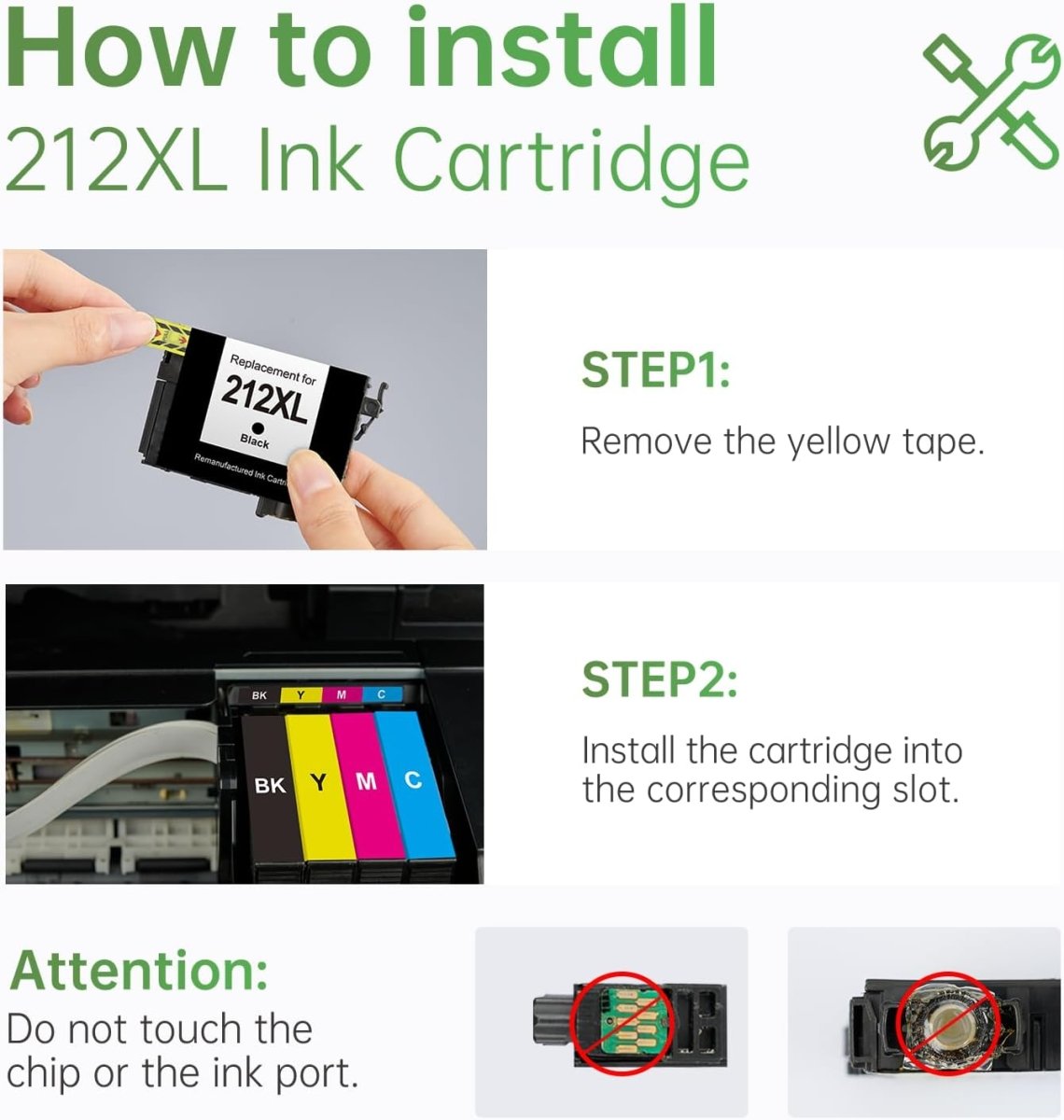
How to Install Epson 212XL Ink Cartridges
- Power on the printer — Make sure the printer is on before opening the cartridge cover.
- Open the front cover — Lift the scanner unit. The print head will automatically move to the replacement position.
- Release the old cartridge — Press down on the cartridge tab and pull it straight out. Set aside for recycling.
- Unpack the new cartridge — Remove from its sealed packaging. Do not shake or squeeze.
- Remove the protective tape — Peel off the orange or yellow tape from the nozzle area completely. Do not touch the metal contacts or ink nozzles.
- Insert the cartridge — Match each cartridge to its color-coded slot. Press firmly until it clicks into place.
- Repeat for each cartridge — Install all cartridges being replaced before closing the cover.
- Close the front cover — Lower the scanner unit completely. The printer will initialize automatically.
- Run a nozzle check — Print a test page or nozzle check pattern to confirm all colors are flowing correctly.
Print quality issues after installation? Run 1–2 printhead cleaning cycles from the printer's Maintenance menu. New remanufactured cartridges sometimes need a cleaning cycle to establish full ink flow. If quality doesn't improve, contact Linford support — covered by Lifetime Warranty.
FAQs
Q: What is the difference between Epson 212 and 212XL? Both cartridges are compatible with the same printers. The 212XL is high-yield (600 pages black / 450 pages color) vs. the standard 212 (~150 pages black / ~130 pages color). The XL prints approximately 4× more pages per cartridge, making it significantly more cost-effective for regular printing.
Q: Why does this 5-pack include 2 black cartridges instead of 1? Black ink is consumed much faster than color in typical home and office printing. The 2BK + 1CMY ratio ensures you won't run out of black while color cartridges still have ink remaining, reducing the frequency of reordering.
Q: Will Epson's firmware updates block these cartridges? Epson has issued firmware updates that block third-party and remanufactured cartridges on some models. We strongly recommend disabling automatic firmware updates before installing. Contact Linford support if you've already been affected.
Q: Will remanufactured cartridges void my Epson printer warranty? No. Under the Magnuson-Moss Warranty Act, Epson cannot void your printer warranty solely because you used a remanufactured or third-party ink cartridge.
Q: What ink types do these cartridges use? The 212XL black cartridge uses pigment-based ink — ideal for sharp, water-resistant text. The cyan, magenta, and yellow cartridges use dye-based ink — optimized for vibrant colors and photos.
Q: How should I store unused cartridges? Store sealed cartridges upright in a cool, dry place away from direct sunlight. Linford Epson 212XL cartridges have a shelf life of 18–24 months unopened.
Epson, WorkForce, Expression Home, T212XL120-S, and related model names are registered trademarks of Seiko Epson Corporation. Linford is not affiliated with or endorsed by Epson. Product names are used for compatibility identification only.